
Pizza Maker and Baking Games
IDZ Digital Private LimitedEducational
4.610.00 Reviews
- Version
- 0.0.29
- Installs
- 500.00K
- Age Rating
- Everyone
Screenshots


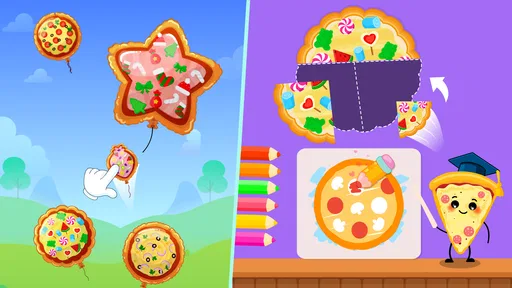
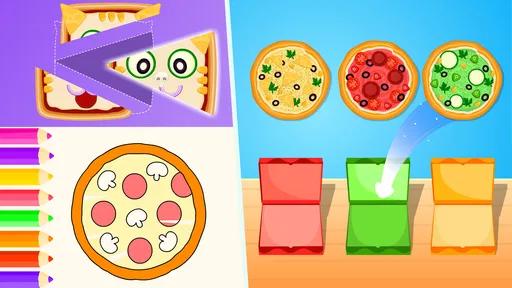
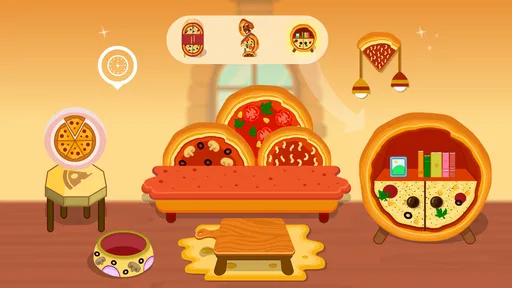

Our Review of Pizza Maker and Baking Games
 Analysis by Appyee
Pizza Maker and Baking Games is the kind of children’s game that wins attention quickly because its central activity is easy to understand: make a pizza, choose what goes on it, and enjoy the playful result. I found the appeal strongest during the first few sessions, when a child can explore the cooking theme without needing to read complicated instructions or manage difficult controls. It belongs to the educational game category, but it works more like a relaxed activity than a formal lesson.
The game is free to install and is suitable for everyone, which makes it an approachable choice for families looking for a simple screen activity for a young child or toddler. IDZ Digital Private Limited is the developer, and the game has built a solid audience with over 500 thousand installs and an average rating of 4.6 from around 1.6 thousand ratings. Those figures suggest that the basic idea connects with many families, although they do not remove the need to consider whether the gameplay has enough variety for your particular child.
What the first week feels like
My first impression was that the game understands its audience well. A pizza-making theme gives children an immediate goal without putting pressure on them to win. Instead of asking a young player to memorize rules or react quickly, it invites them to participate in a familiar pretend-cooking routine. That makes it especially suitable for a child who enjoys kitchen play, colorful food activities, or copying what adults do at home.
The educational angle is also important. The store summary presents pizza cooking alongside ABC and 123 learning games, so the app is not limited to pretend baking. In practice, that combination gives parents a way to move from creative play toward basic recognition activities without switching to a completely different app. I would treat the learning side as light reinforcement rather than a replacement for a structured early-learning program.
During the first week, the strongest benefit is independence. A child can make choices and see an immediate response, which encourages experimentation. That is more useful than it may sound. Young children often learn better when a task feels like play, and a food-making activity can hold attention long enough for them to practice tapping, dragging, identifying objects, and following a sequence.
I would introduce it in short sessions rather than handing over the device for an open-ended afternoon. A useful routine is to let the child create one pizza, talk about the ingredients, and then move to one ABC or number activity. This keeps the game connected to conversation and prevents the screen from becoming the entire learning experience. The adult’s questions can add depth: asking what color an ingredient is, how many items were chosen, or what letter a child recognizes.
One non-obvious strength is the way the cooking theme can become a bridge between digital play and a real household activity. After a session, a parent can invite the child to help count toppings, identify shapes, or arrange ingredients on a real plate. The game itself does not need to teach every concept perfectly to be useful; it can provide a familiar starting point for offline practice.
Who will enjoy it most
I think it is best for toddlers and younger children who prefer gentle interaction over competition. Children who become frustrated by timers, losing screens, or complicated menus may find this style more welcoming. It can also work well as a supervised waiting-room activity or a brief distraction while a parent handles a small task nearby.
It is less convincing for older children who already expect complex cooking simulations, detailed recipes, or a strong sense of progression. The simple design is an advantage for beginners, but that same simplicity can feel limited once the novelty of making pretend pizza has passed. Families seeking serious literacy or numeracy instruction should also look elsewhere or use this only as a supplement.
What the learning activities can and cannot do
The ABC and 123 elements give the game a clearer purpose than a purely decorative cooking toy. They can support early exposure to letters and numbers, especially when a child is still becoming comfortable with recognition and repetition. I would not measure success by whether the child completes an activity independently on the first try. The more realistic benefit is repeated contact with basic concepts in a setting that feels enjoyable.
Parents should pay attention to whether the child is actually engaging with the learning content or simply rushing back to the food activity. That difference matters. If the child ignores the educational sections, I would use the pizza theme as motivation rather than forcing a long lesson. For example, finish a short letter activity before allowing another creative cooking round. This keeps the experience positive while still giving the learning component a role.
Does it keep its value after the novelty fades?
The month-to-month question is harder than the first-week question. A pizza game has an obvious initial charm, but recurring value depends on whether the child continues finding new choices or new ways to interact. In my view, the app is most likely to remain useful when parents treat it as one item in a rotation of activities rather than as a primary game played every day.
Its educational category helps extend its life because the ABC and number activities provide a second reason to return. A child may tire of the cooking sequence but still benefit from revisiting simple recognition tasks. Conversely, a child who enjoys imaginative food play may return for the creative side even after the learning activities become familiar. The two parts support different moods, which is more sustainable than relying on one short activity.
A practical monthly routine would be to use it a few times a week, with each session having a small purpose. One day could focus on naming ingredients and colors. Another could connect counting with the number activity. A third could simply allow free play. This approach makes the game feel less repetitive because the adult changes the conversation around it, even when the digital actions are familiar.
The lasting value comes less from endless content and more from how well the game fits into a child’s learning routine. That is an important distinction. I would not recommend buying it with the expectation that it will provide a constantly changing world. I would recommend it as a low-pressure activity that can be revisited when a child needs practice, a quiet break, or a familiar way to explore early concepts.
The free entry point makes that experiment easy. Families can see whether the child responds to the controls and theme before spending anything. There are in-app purchases priced from $1.99 to $3.99 per item, so adults should review the purchase flow before letting a child play alone. Even when the initial download costs nothing, a child-friendly game can still require parental attention around optional purchases.
How it compares with familiar alternatives
Compared with a dedicated alphabet or counting app, this game is less focused but more playful. A specialist learning app may offer a clearer progression through letters or numbers, making it a better choice when a parent wants concentrated practice. Pizza Maker and Baking Games is more appealing when the child needs motivation and variety rather than a lesson that feels like schoolwork.
Compared with a general pretend-cooking game, it has a stronger educational reason to stay installed because the ABC and 123 activities broaden its use. A purely creative cooking app may offer a more immersive kitchen fantasy, while this one is better suited to a short mixed session that combines play and early learning. I would choose this game for balance, not for the deepest version of either category.
It also differs from competitive children’s games by avoiding the pressure that can make some young players quit. That is a real advantage for toddlers who are still learning basic device control. The trade-off is that children who need a challenge, a score, or a clear reward ladder may lose interest sooner.
Maintenance, supervision, and everyday friction
The maintenance burden is fairly small, but it is not zero. Parents still need to manage session length, watch for accidental purchases, and decide whether the game is being used actively or simply filling time. Because the game is designed for young users, I would keep an adult nearby during the first sessions to see how the child navigates between cooking and learning activities.
The minimum operating system is Android 6.0, so it is compatible with a broad range of older Android devices. That is helpful for families using a hand-me-down phone or tablet rather than a new device. The current version is 0.0.29, and keeping any children’s app updated is sensible when the device offers updates, particularly if a child uses it regularly.
I would also create a simple boundary around purchases. Since individual in-app items cost between $1.99 and $3.99, the safest routine is to let the adult handle any decision about paid content. A child may understand that a topping or activity is available without understanding that tapping it can begin a purchase. This is not a reason to reject the game, but it is a reason not to treat a free download as completely hands-off.
Another maintenance issue is variety management. If the child plays the same sequence repeatedly, the activity can become automatic rather than educational. Parents can reduce that problem by changing the goal each time: ask the child to identify a letter, count selected items, describe colors, or explain what happens next. When the adult conversation changes, a familiar interaction can still support language and observation skills.
Where fatigue begins
The main source of fatigue is repetition. Pizza-making is immediately understandable, but it is also a narrow theme. Once a child has explored the available choices several times, the game may no longer feel surprising. The educational activities help, but they may not fully compensate for a child who wants new characters, stories, or increasingly difficult challenges.
There is also a difference between visual engagement and genuine learning. A child can enjoy tapping ingredients without remembering the letters or numbers presented elsewhere. Parents who want measurable progress should observe what the child can recognize away from the screen. If the game remains entertaining but does not lead to any recall, it may be time to pair it with books, physical counting objects, or a more structured learning tool.
Another possible frustration is the mismatch between age groups. A toddler may appreciate the simplicity that an older preschooler finds too basic. I would judge the game by the child’s developmental stage, not by the educational label alone. The Everyone age rating makes it broadly accessible, but broad suitability does not mean every child will find the same depth or challenge.
For children who dislike food themes, the central concept may not hold attention at all. Likewise, a child who wants a genuine cooking simulation with recipes and consequences may find this more like guided pretend play. That is not a flaw in itself; it simply defines the audience. I would skip it for a child asking for detailed strategy, realistic kitchen management, or long-form progression.
My long-term verdict
After the first burst of curiosity, Pizza Maker and Baking Games earns its place most convincingly as a repeatable short activity, not as a child’s only game. Its combination of pretend cooking, ABC exposure, and number play gives it more staying power than a single-purpose novelty app. The free price also makes it reasonable to test, provided an adult handles the in-app purchase settings.
I would recommend it to parents of toddlers and younger children who enjoy simple touch interactions and benefit from learning through familiar themes. It is particularly useful when you want a calm alternative to competitive games, or when you need a small activity that can lead into an offline conversation about food, counting, colors, or letters.
I would be more cautious for families looking for deep educational progression or enough content to occupy a child independently for long periods. In those cases, a dedicated literacy app, a focused numeracy program, or a richer cooking game may be the better long-term choice. This title works best when its limits are understood rather than ignored.
Overall, I see it as a friendly first step into educational game play. IDZ Digital Private Limited has chosen an accessible theme and paired it with early learning activities that are easy for a young child to approach. The game’s lasting usefulness depends on moderation, adult involvement, and rotating it with real-world play. Used that way, it can remain a worthwhile small part of a child’s routine after the initial pizza-making excitement has settled.
My recommendation is to try it for short, guided sessions and watch what your child actually returns to: the creative cooking, the letters, the numbers, or the chance to make independent choices. That observation will tell you more than the rating alone. For the right age and temperament, Pizza Maker and Baking Games is an enjoyable educational companion; for children who need greater depth, it is better treated as a supplement than a complete solution.
Verdict
Strengths of Pizza Maker and Baking Games
- Fun, colorful activities suitable for young children
- Simple controls make it easy to play without instructions
- Encourages creativity through customizable pizza toppings
- Includes several baking steps for varied gameplay
- Works well as a casual, relaxing game for short sessions
Limitations of Pizza Maker and Baking Games
- Gameplay may feel repetitive after several rounds
- Some features or items may require in-app purchases
- Frequent ads can interrupt play on the free version
- Limited challenge may not appeal to older children
- May collect usage data depending on device permissions
Other Releases by IDZ Digital Private Limited
View All
Kids Coloring Pages & Book
Educational4.3

Ice Cream Shop Games for Kids
Educational4.6

Toddler Games for 2-3 Year Old
Educational3.6

KidloLand Kids & Toddler Games
Educational4.6
Similar Picks in This Category
View All
Little Panda Policeman
BabyBus4.0

Monster Trucks Game for Kids 2
Raz Games4.1

Little Panda's Chinese Recipes
BabyBus4.4

Little Panda's Restaurant
BabyBus4.4

Little Panda's Ice Cream Games
BabyBus4.3

Baby Panda Care
BabyBus3.8
Frequently Asked Questions
What is Pizza Maker and Baking Games?
Pizza Maker and Baking Games is a casual cooking game designed for children and families. Players prepare pizzas by choosing dough, adding sauce, selecting toppings, baking the pizza, and serving it to customers or characters. The game focuses on simple tap-and-drag interactions, colorful graphics, and creative food preparation rather than complex challenges or realistic restaurant management.
Is Pizza Maker and Baking Games suitable for children?
The game is generally suitable for young children because its controls are simple and the activities are easy to understand. It encourages creativity, basic sequencing, and pretend-play through cooking tasks. Parents should still review the recommended age rating and check the available settings, since advertisements, optional purchases, or external links may vary depending on the version installed and the device being used.
Does the game require an internet connection to play?
Many of the basic pizza-making activities can usually be played offline after installation, which makes the game convenient for travel or situations without Wi-Fi. However, certain features may depend on an internet connection, including advertisements, downloadable content, updates, rewards, or links to other applications. It is best to test the game in airplane mode before relying on full offline access.
Are there in-app purchases or advertisements in Pizza Maker and Baking Games?
The presence of advertisements and in-app purchases can differ between versions, platforms, and regional releases of Pizza Maker and Baking Games. Some editions may display banner or video ads, while others may offer optional items, extra recipes, or ad removal. Before allowing a child to play, parents should check the store listing and enable purchase restrictions through the device’s parental controls.
What can players do in Pizza Maker and Baking Games?
Players can typically complete the full pizza-making process, from preparing the base and spreading sauce to adding toppings, baking the pizza, and decorating or serving the final result. The appeal comes from experimenting with ingredients and creating different combinations. It is more of a relaxed creative cooking experience than a competitive game, so expectations should be set accordingly.
Play our best games!


